
Overview
Local Tickets is a mobile ticketing app concept designed to support neighborhood venues and their communities within specific cities. Fans of local artists often seek to cultivate community and connection through shared live experiences, but this is easier said than done in an era monopolized by large corporations like Ticketmaster. Buyers on these platforms frequently encounter price gouging and limited visibility for smaller events, which limits transparency and diminishes the community-driven nature of local live events.
The Challenge
Our team was tasked with designing and making a prototype for Local tickets, a new ticketing mobile app that enables users to discover events, connect with other fans, purchase and manage tickets, and gain seamless entry through QR codes. Beyond functionality, we also aimed to create a transparent and community-centered alternative to large, monopolized ticketing platforms.
Project Overview
Research
Competitive Analysis
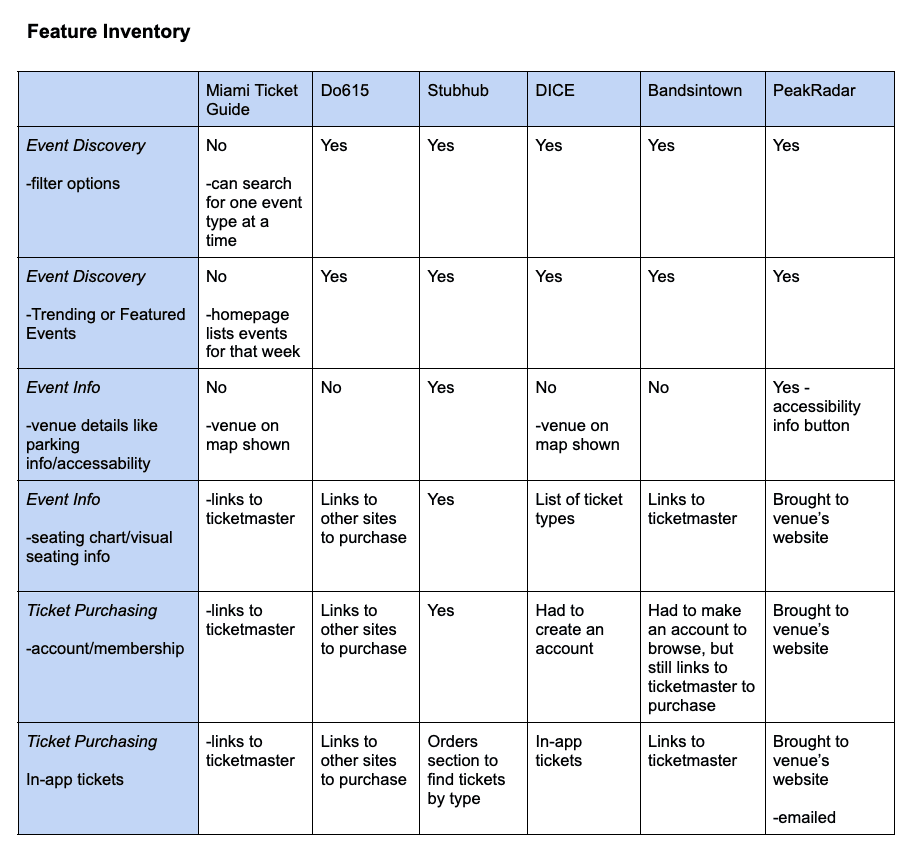
To better understand the current ticketing landscape, we analyzed a range of mobile platforms ranging from large-scale providers like Ticketmaster and StubHub to more regionally focused apps such as BandsInTown and Do 615.
While larger platforms offered robust functionality, they often lacked transparency in pricing and buried smaller events beneath high-profile listings. In contrast, some regional platforms were more straightforward in presenting ticket information, but relied heavily on redirecting users to external sites or required account creation before purchase, creating additional friction.
Finally, we compiled our findings into a feature inventory to compare discovery, transparency, and ticket management across platforms.
User Interviews
Our team conducted five in-depth interviews with frequent concert-goers who regularly used digital ticketing platforms. Over the course of 45-minute video calls, we explored their event discovery habits, purchasing experiences, and frustrations with the existing platforms.
While many participants expressed excitement about attending more live events, they were often discouraged by hidden service fees, unclear pricing, and the difficulty of coordinating plans with friends. These recurring themes highlighted both financial and social barriers within the current ticket-buying experience.
Affinity Mapping
After synthesizing our interview notes, we organized participant statements into clusters to identify recurring patterns. By grouping similar quotes and reframing them into “I-statements,” we uncovered shared frustrations around transparency, social coordination, and event discovery.
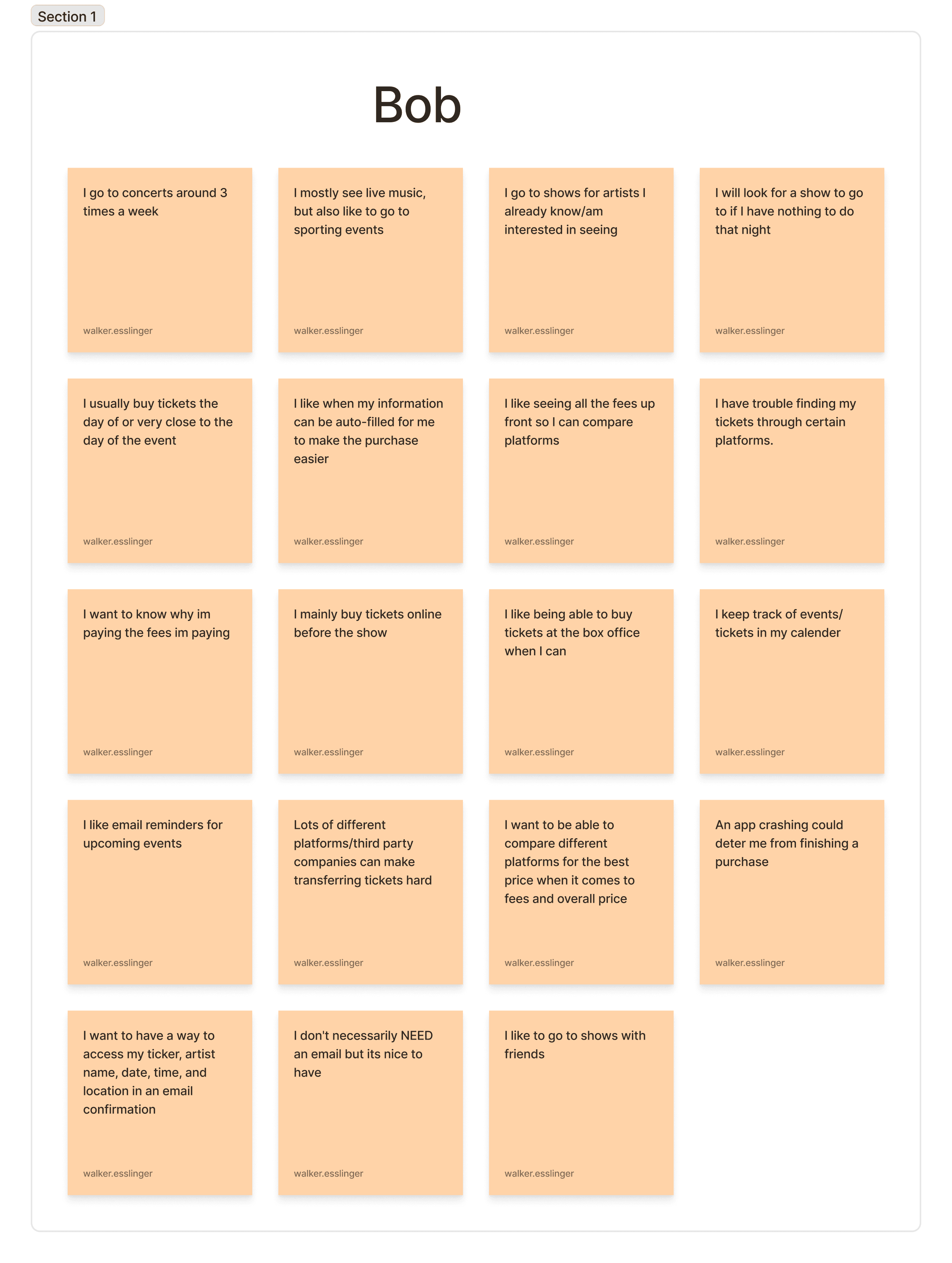
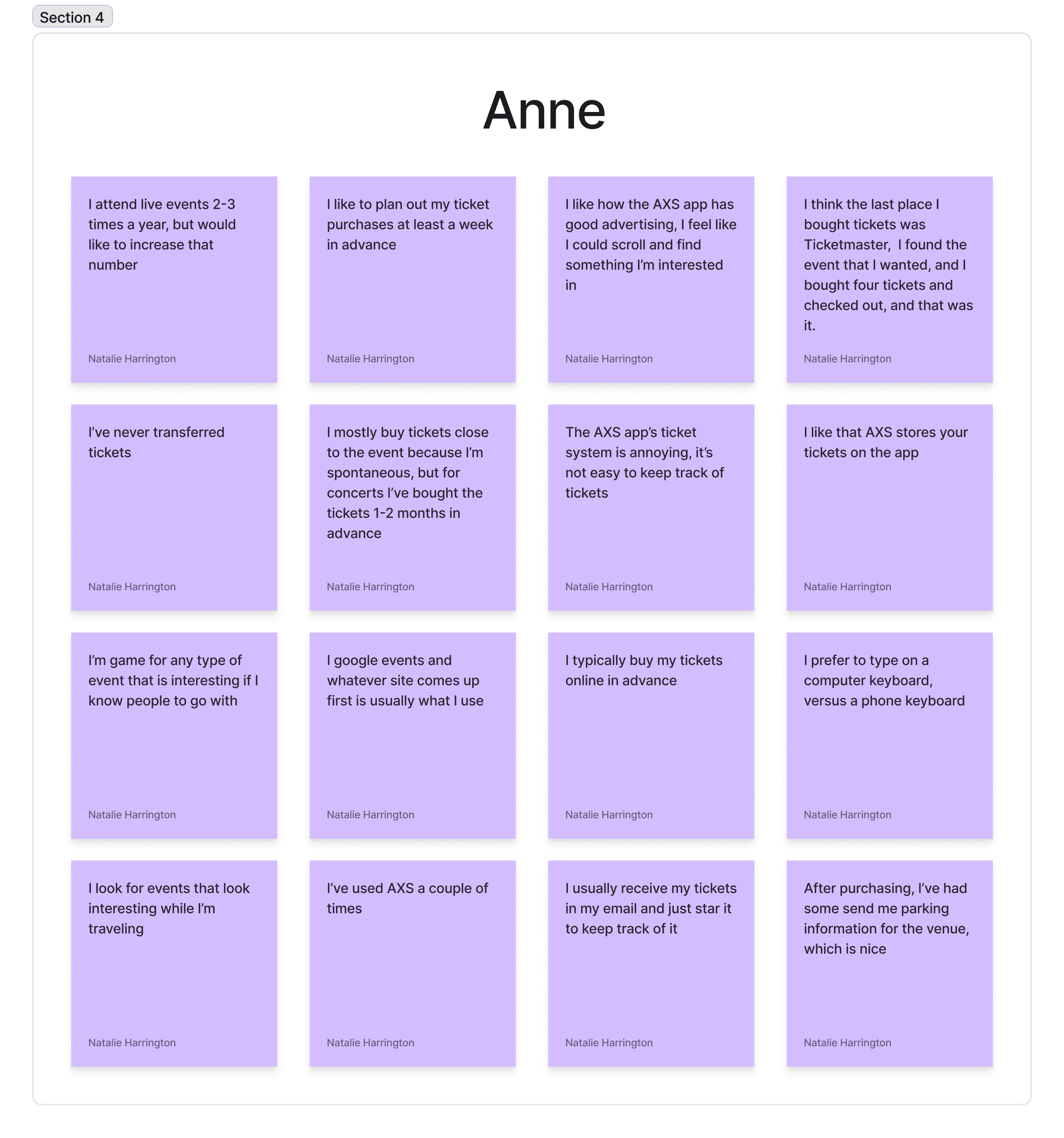
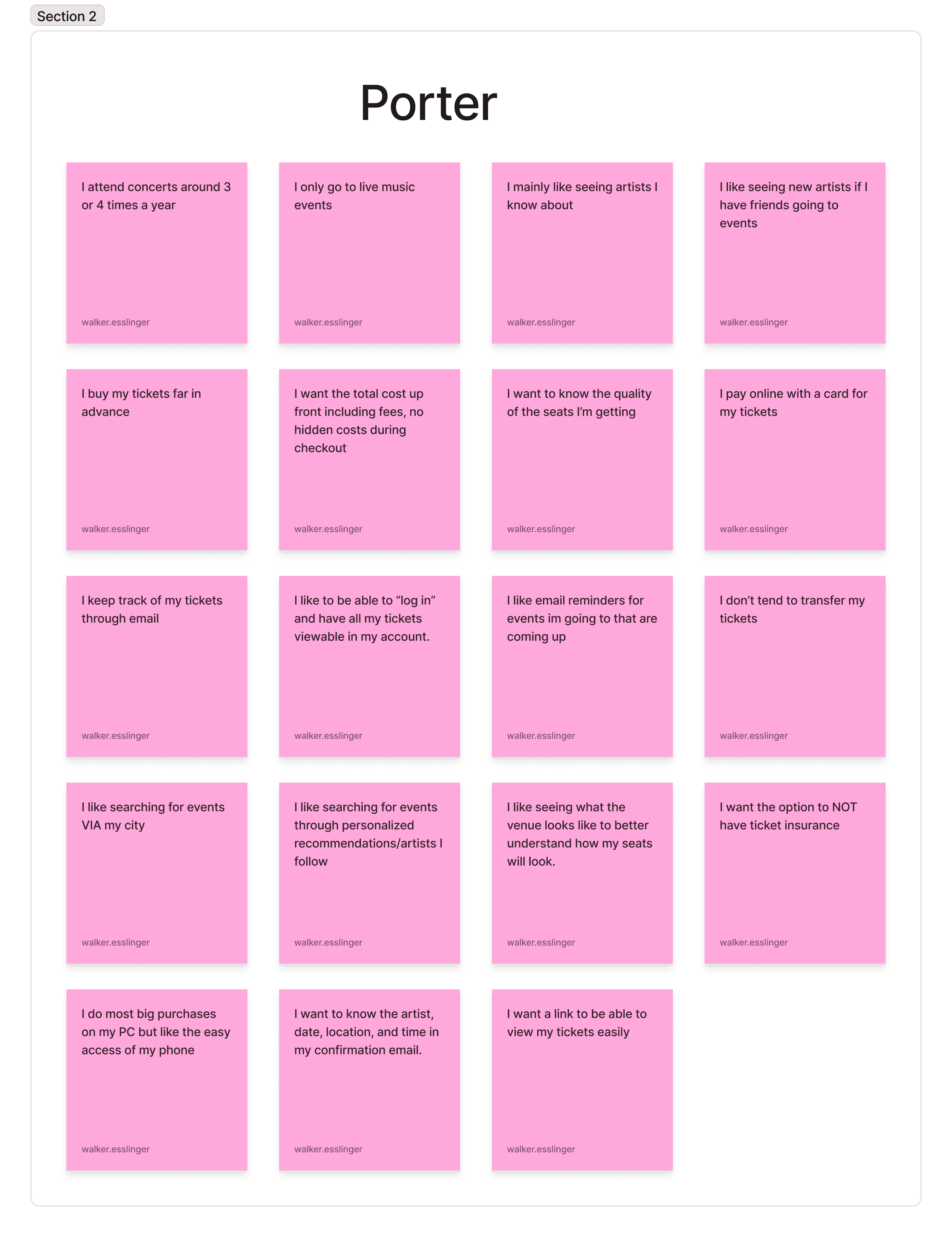
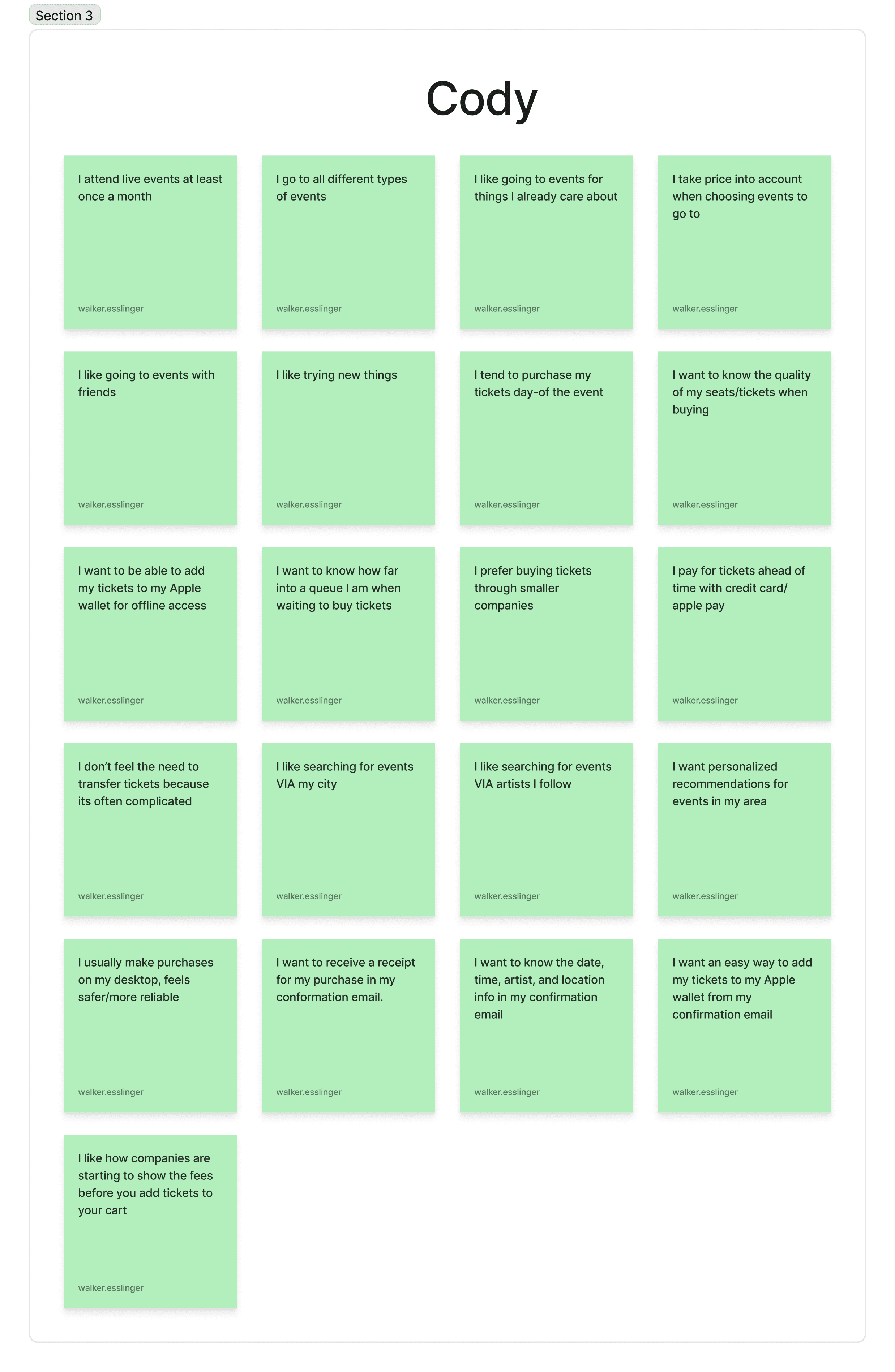
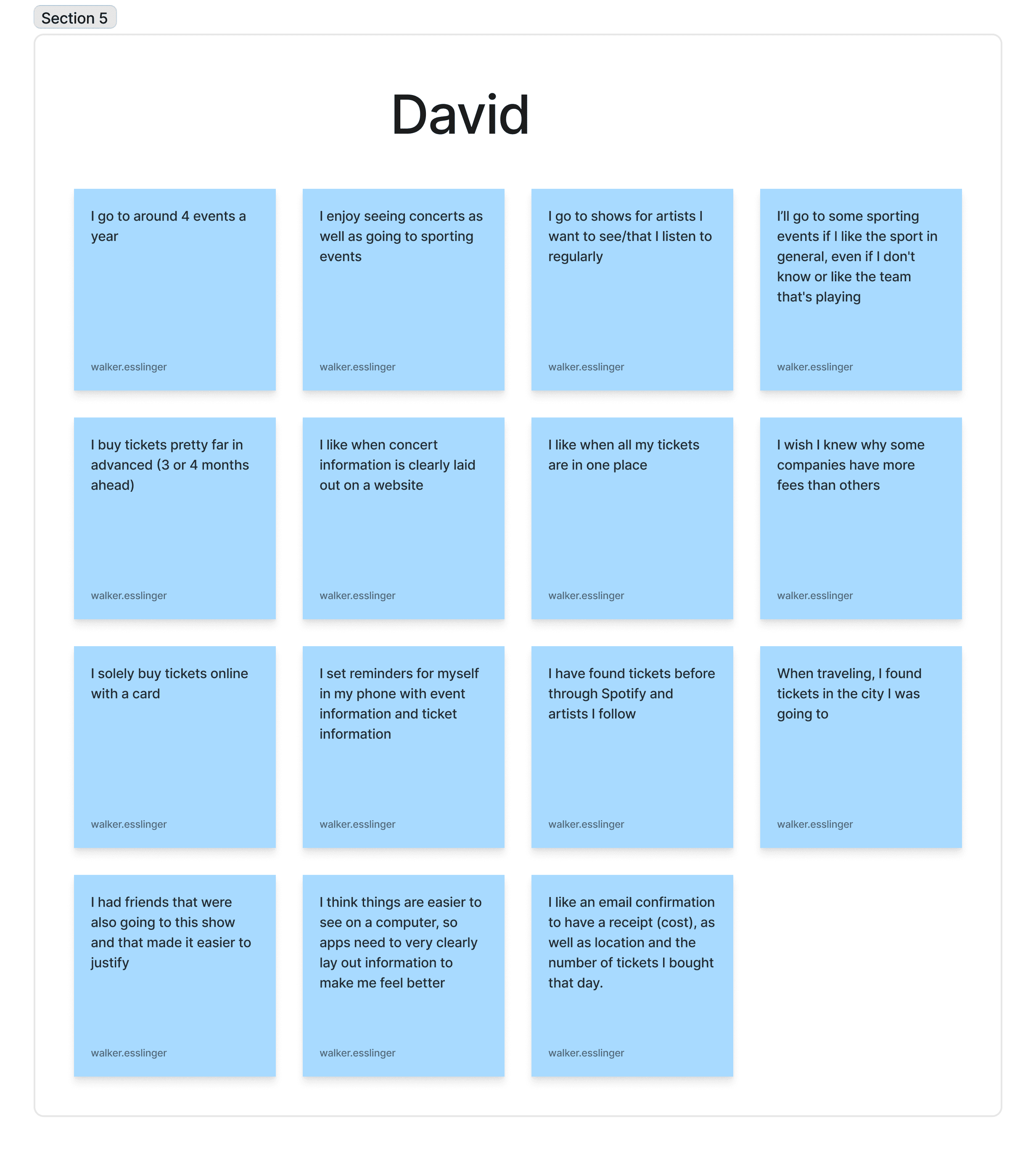
These themes clarified that users were not only concerned with cost, but also with feeling connected and informed throughout the process. The affinity map allowed us to shift from isolated observations to insights that would directly inform our problem statement and design direction.
The Persona
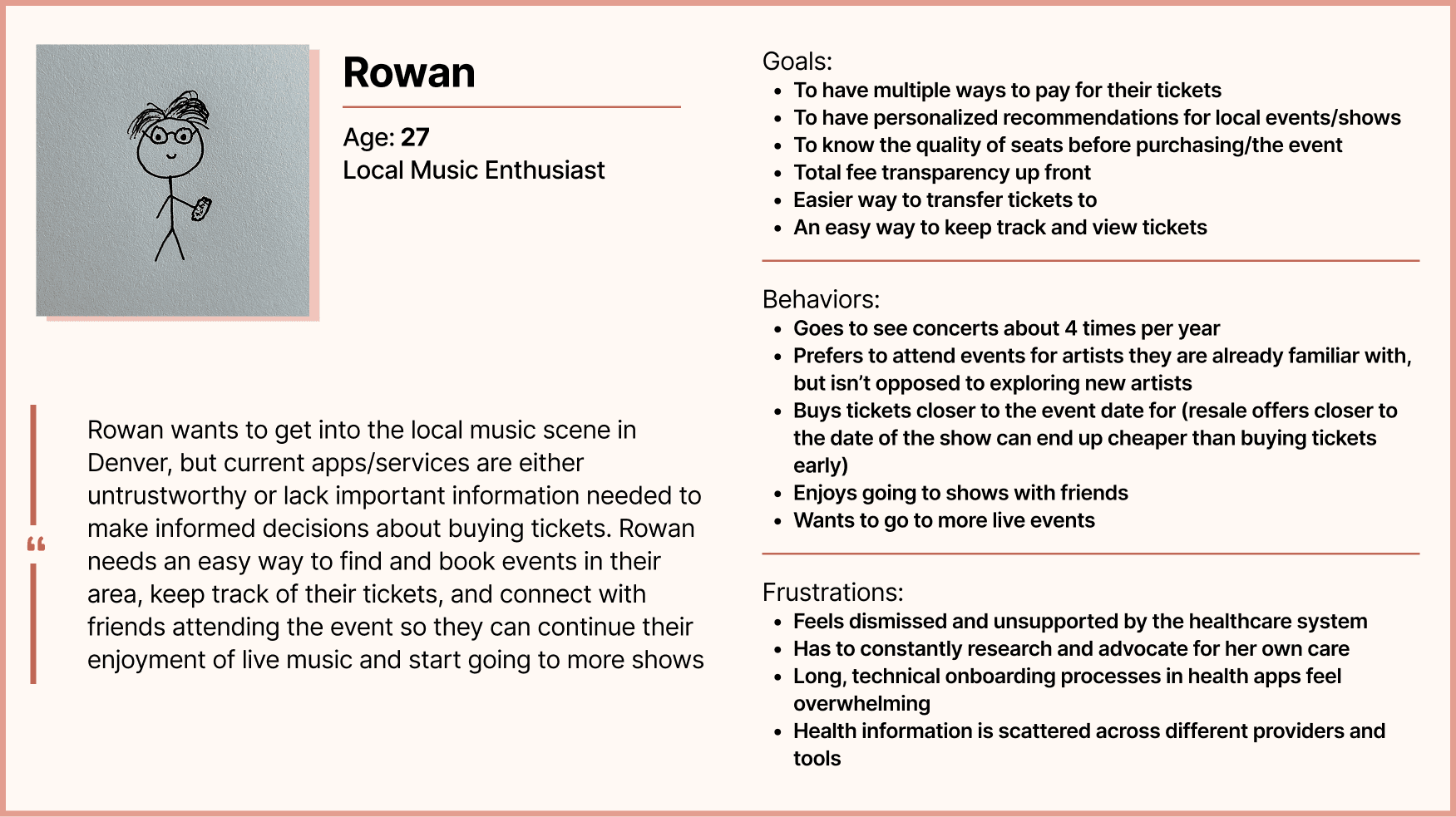
The insights we gained from affinity mapping led to the creation of Rowan, our primary persona.
Ideation
User & Task Flows:
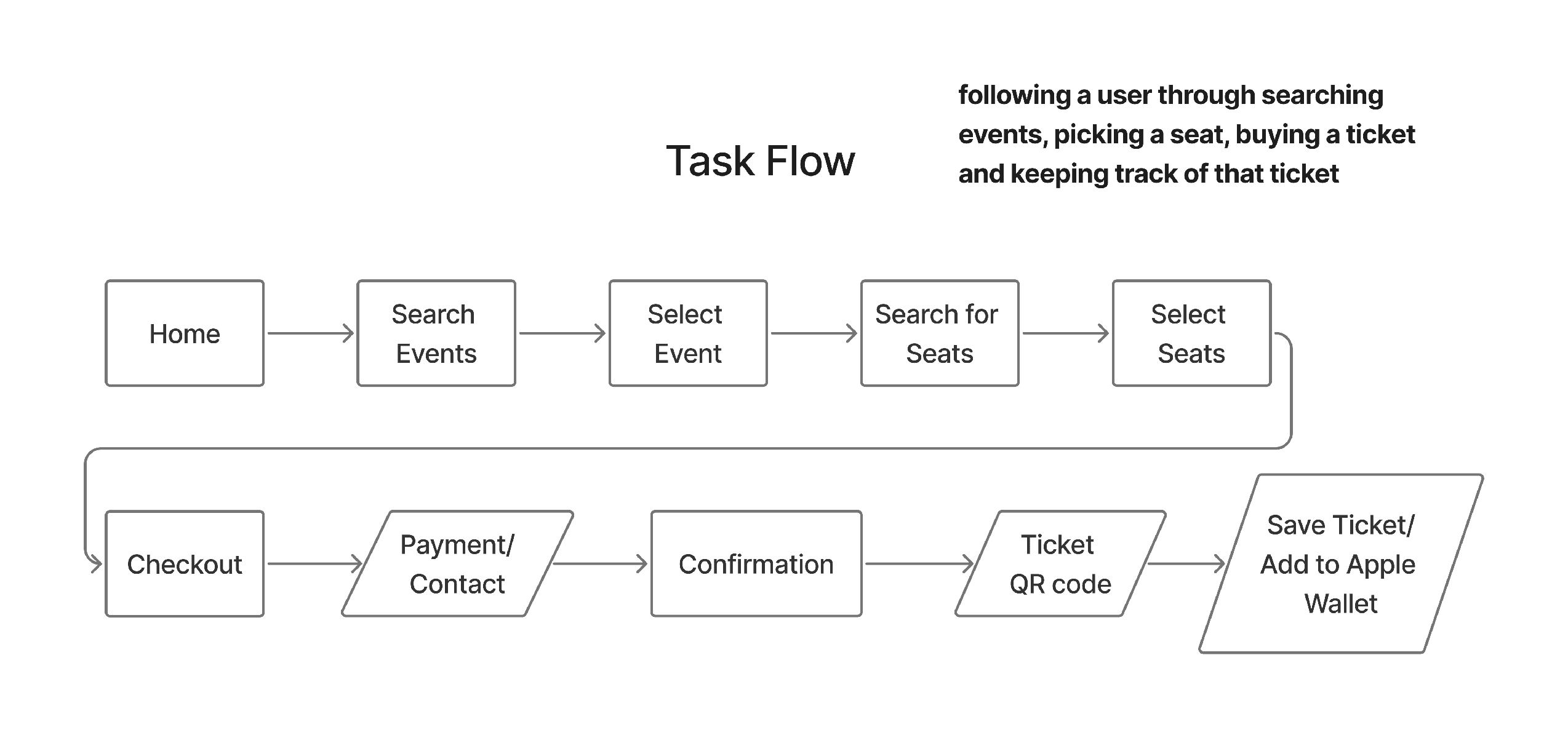
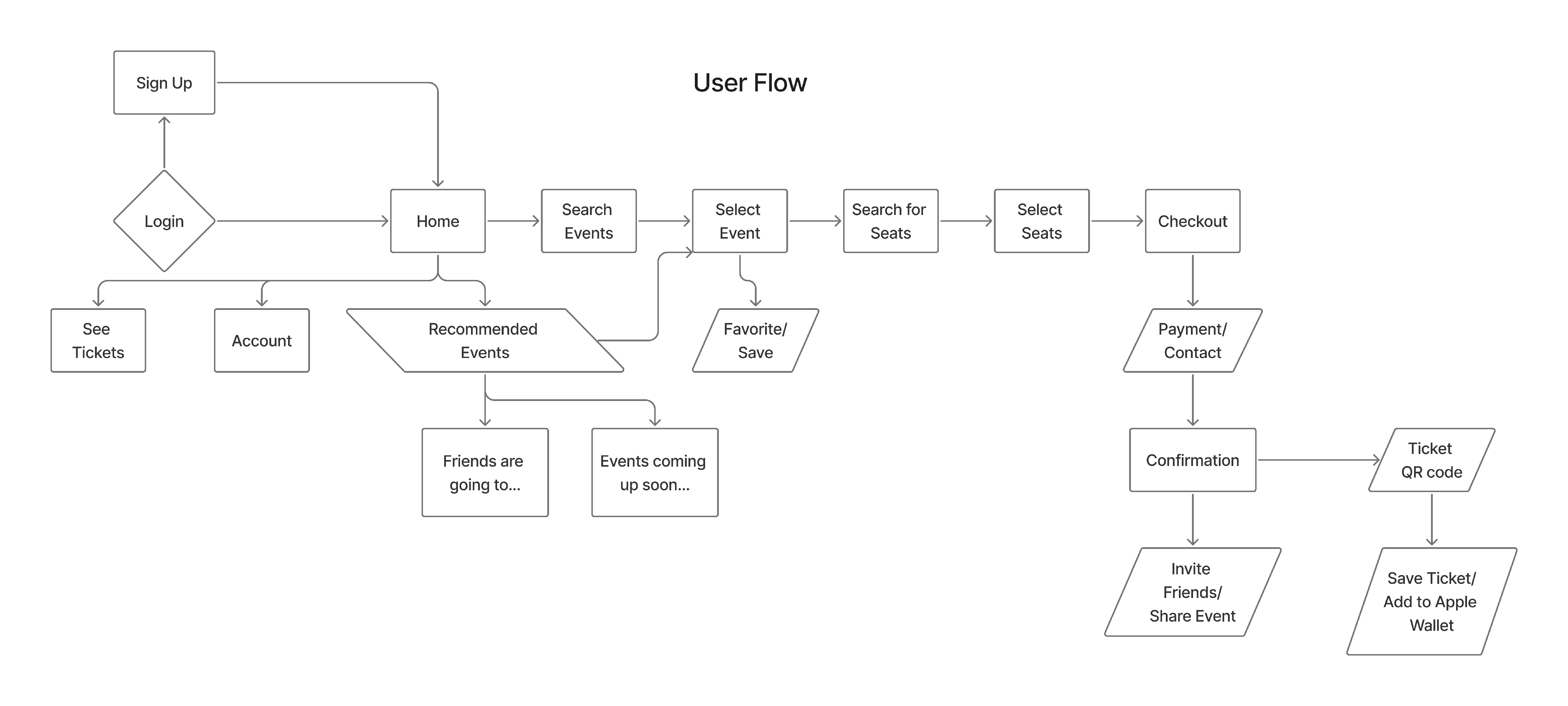
Before designing screens, we mapped both a primary task flow and a broader user flow to clarify how someone like Rowan would move through the app.
The task flow focused on the core action: Discovering an event, selecting seats, purchasing a ticket, and securely storing it for entry. This helped us streamline the purchase journey and remove unnecessary friction between discovery and checkout.
The user flow expanded on this by accounting for alternative behaviors such as browsing recommended events, favoriting shows, viewing tickets, and sharing events with friends. Mapping these pathways allowed us to balance efficiency with community-driven features, ensuring that social engagement could enhance the user’s experience without interrupting the purchasing process.
Sitemap
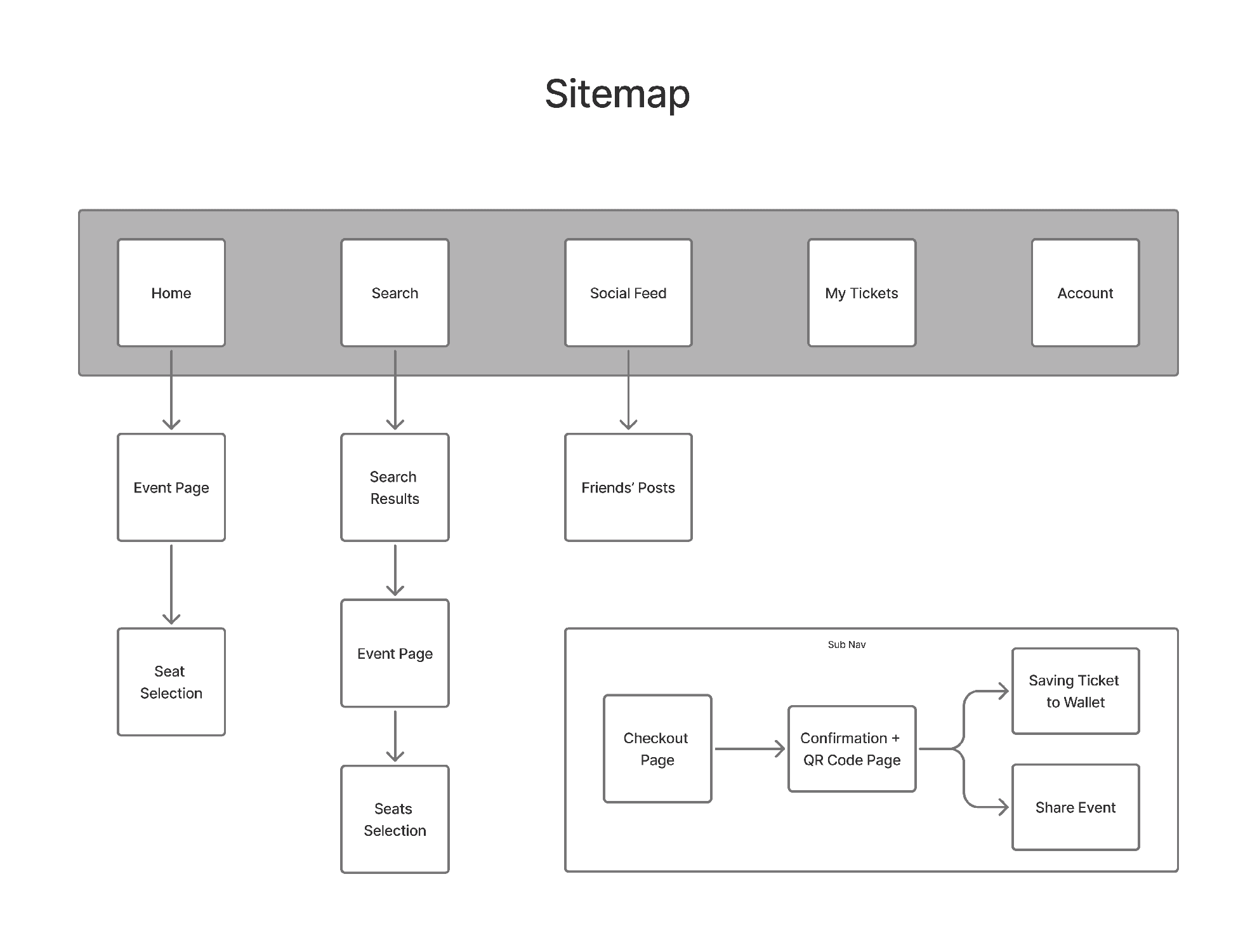
We developed a sitemap to organize the app’s core features into a clear, intuitive structure. The primary navigation centered around Home, Search, Social Feed, My Tickets, and Account. From there, secondary pathways such as seat selection, checkout, ticket storage, and social sharing were layered in. This structure ensured that users could quickly access essential functions (especially their tickets) while still supporting event discovery and community interaction.
The sitemap helped us prioritize clarity and reduce cognitive load, aligning directly with user frustrations around navigation and filtering. From here, we could start visually conceptualizing what our app’s layout could look like.
Sketches
With our flows and structure defined, our team moved into low-fidelity sketching to explore layout variations and feature placement. Each team member first sketched ideas independently, before coming together to evaluate patterns and align with a cohesive design direction.
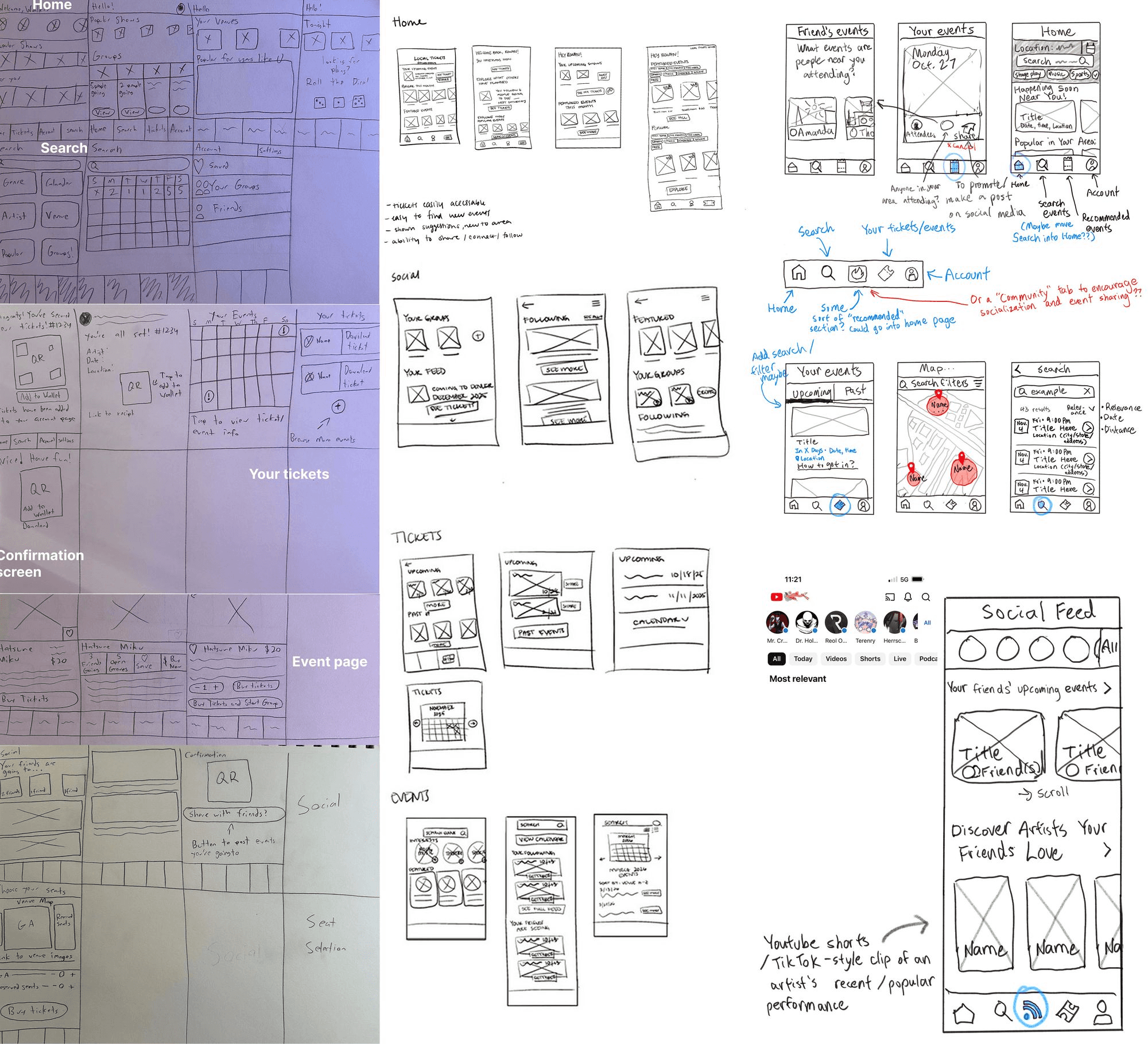
We prioritized transparent ticket pricing, clear event information, and reliable ticket access. By drawing from our competitive analysis and persona insights, we selected concepts that best supported clarity, discoverability, and ease of use. These decisions established a strong foundation for our wireframes.
Design Development
Wireframes
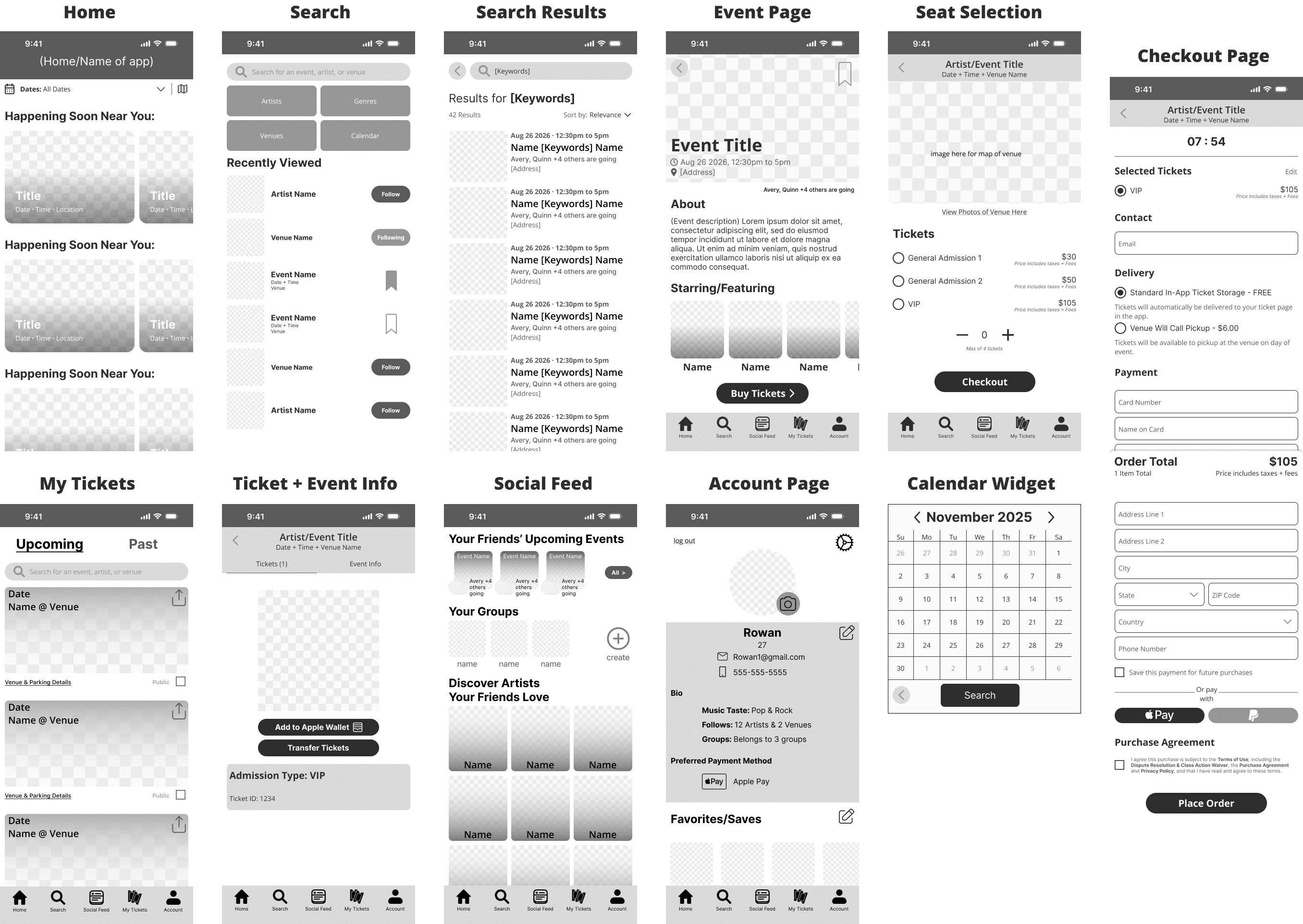
We translated our selected concepts into wireframes to define the page structures and establish its interactable elements. At this stage, we focused on making navigation feel smooth and nailing down information hierarchy by using large buttons and text for key elements.
This step allowed us to validate layout decisions and ensure that ticket discovery, checkout process, and social feed all felt intuitive.
Usability Testing:
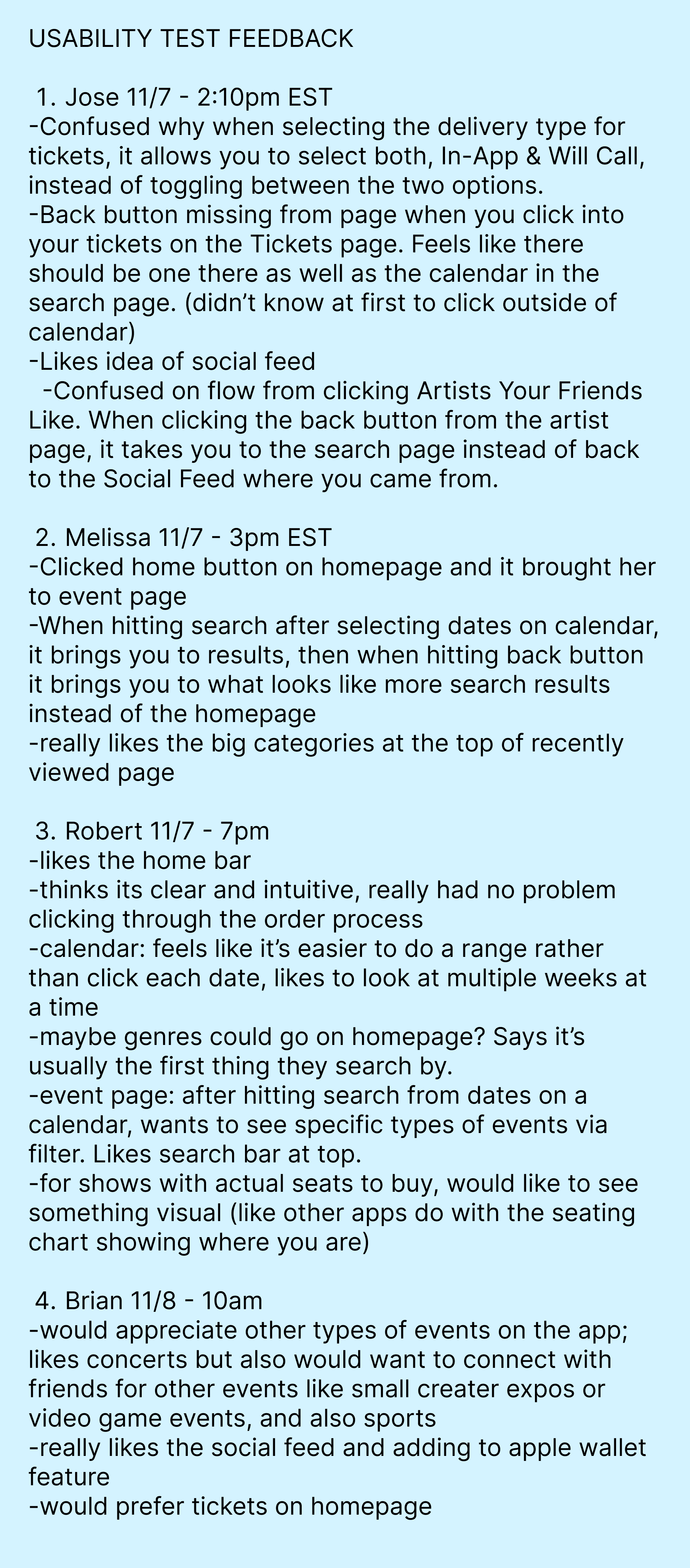
Before moving on further visual styling, we conducted usability testing with four participants to evaluate the current wireframe’s ease of navigation and clarity of its features. We wanted to make sure that the search interface, purchasing process, and social features could be easily understood from first glance.
While many had positive reactions to the social feed and thought the purchase flow felt intuitive overall, several friction points emerged:
Unclear delivery selection – Users were unsure why both “In-App” and “Will Call” options could be selected simultaneously.
Navigation inconsistencies – Back-button behavior between search, social feed, and event pages caused confusion and broke flow.
Limited discovery controls – Participants requested date ranges, genre filters on the homepage, and visual seat maps for assigned seating.
Visual Styling
Having improved our wireframes with the much-needed iterations, we began designing the Hi-Fi prototype of Local Tickets.
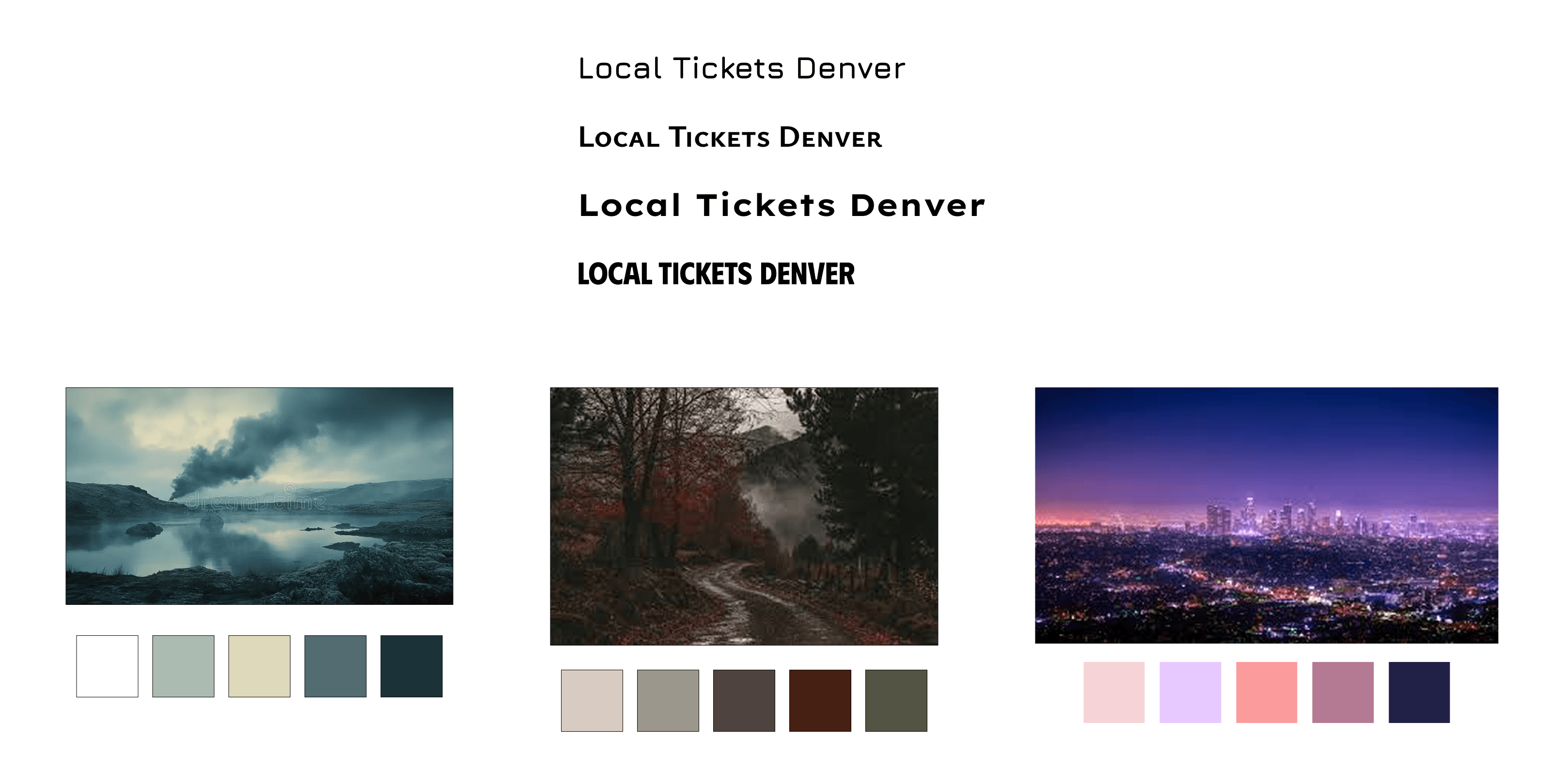
I established that the color scheme should make users feel a sense of calmness to put them at ease during the purchasing process, while also having a hint of moodiness to reflect the vibe of a small local venue. Each member of the team brought a color palette of their own to consider, and in the end we settled on the green-blue color palette. For the textface we decided on using Helvetica, as it is easily readable on small screens while also appearing official.
High Fidelity
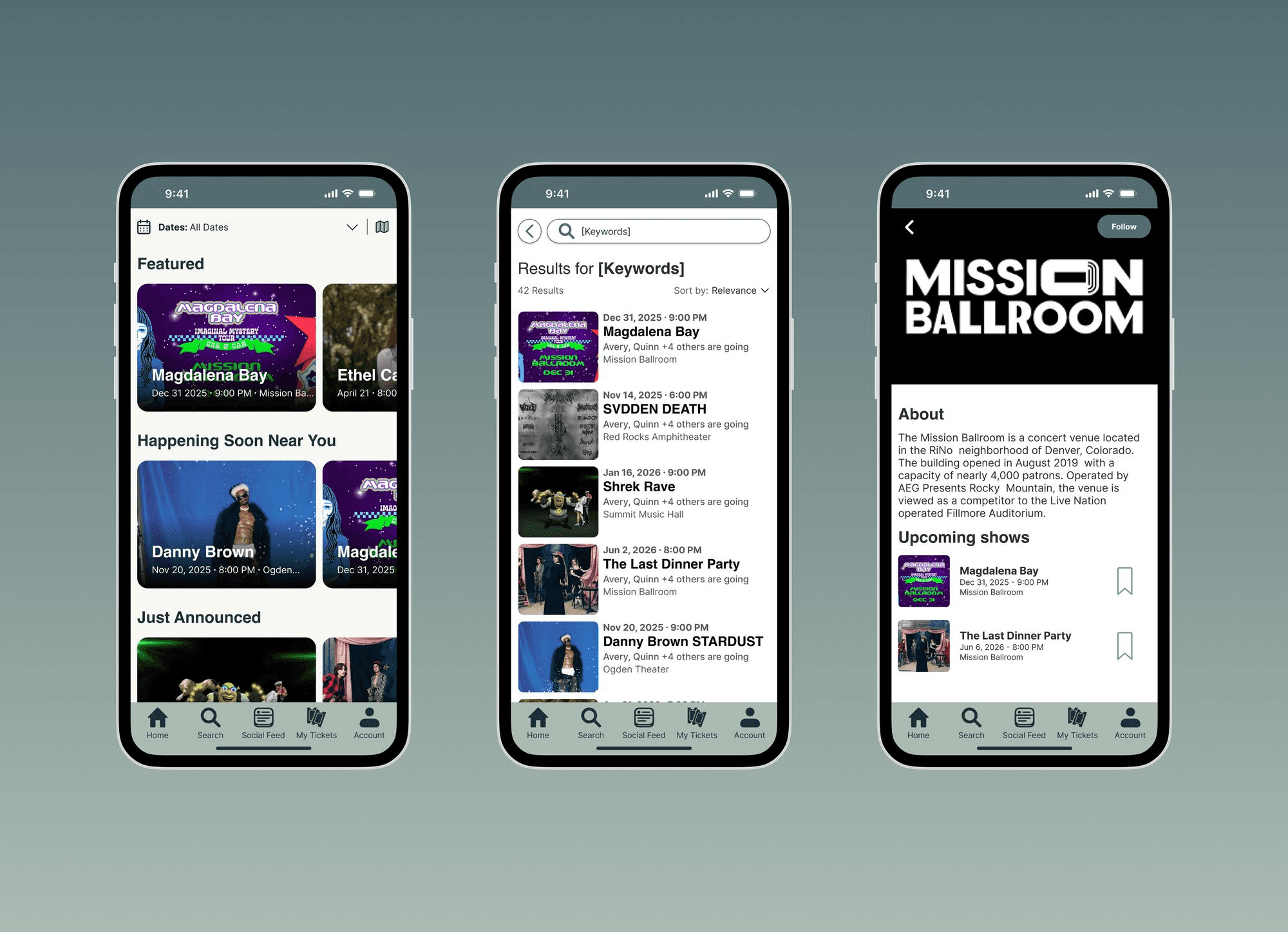
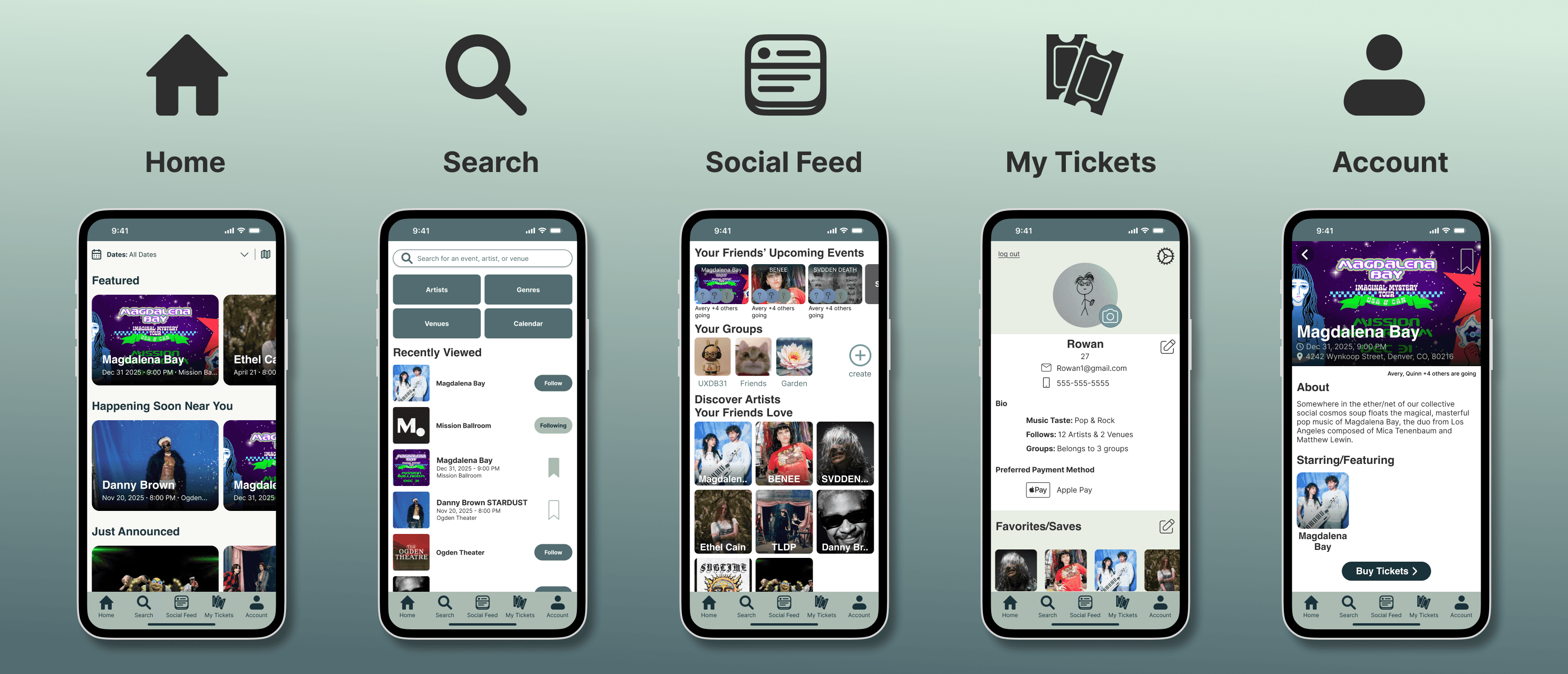
The home page gives you personal recommendations for events, as well as quick access to the different sections of the app.
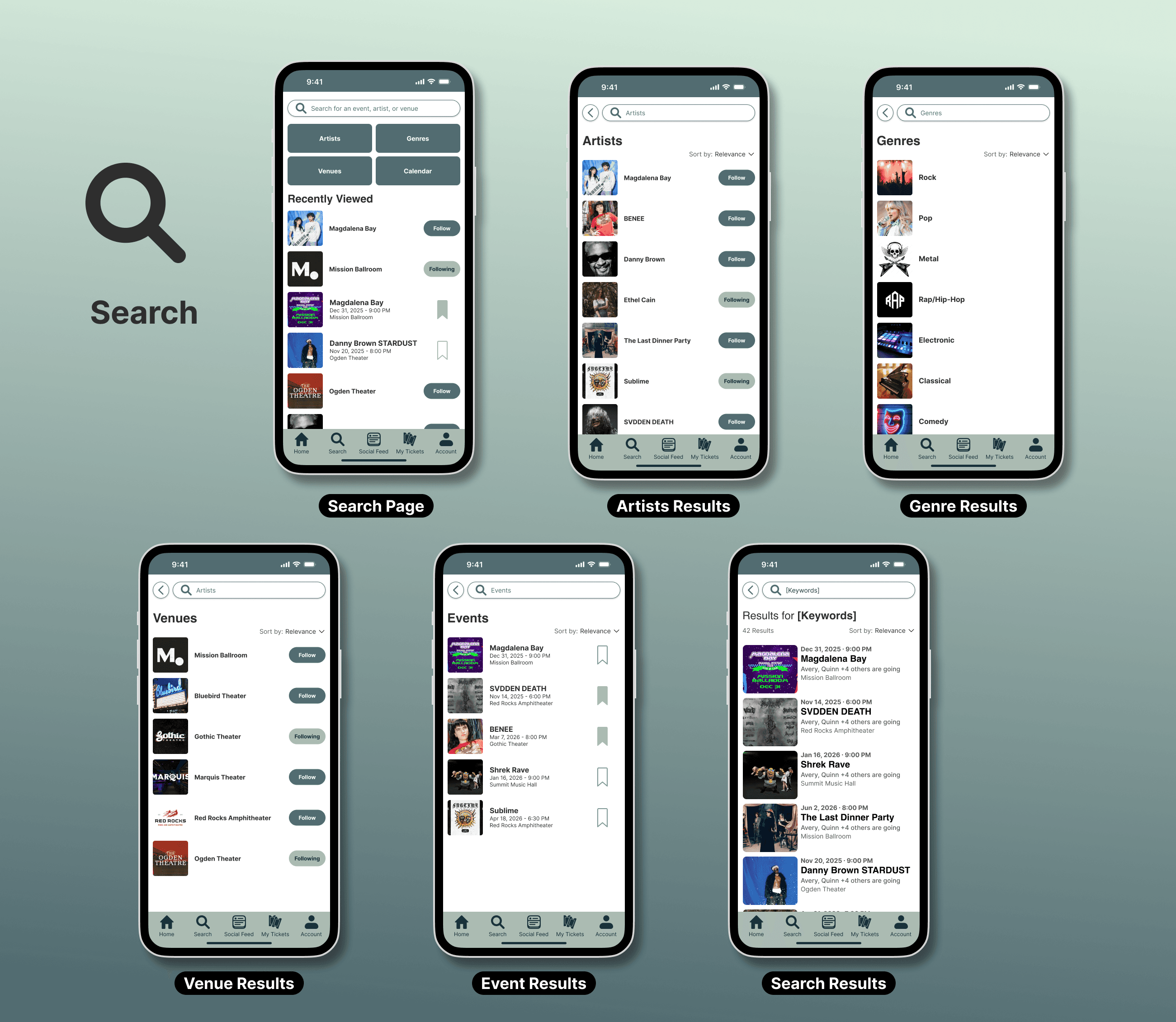
We designed our search pages to give as much filtering as needed, while also keeping it easy to understand and navigate. This makes it easy for users to find the events they are looking for.
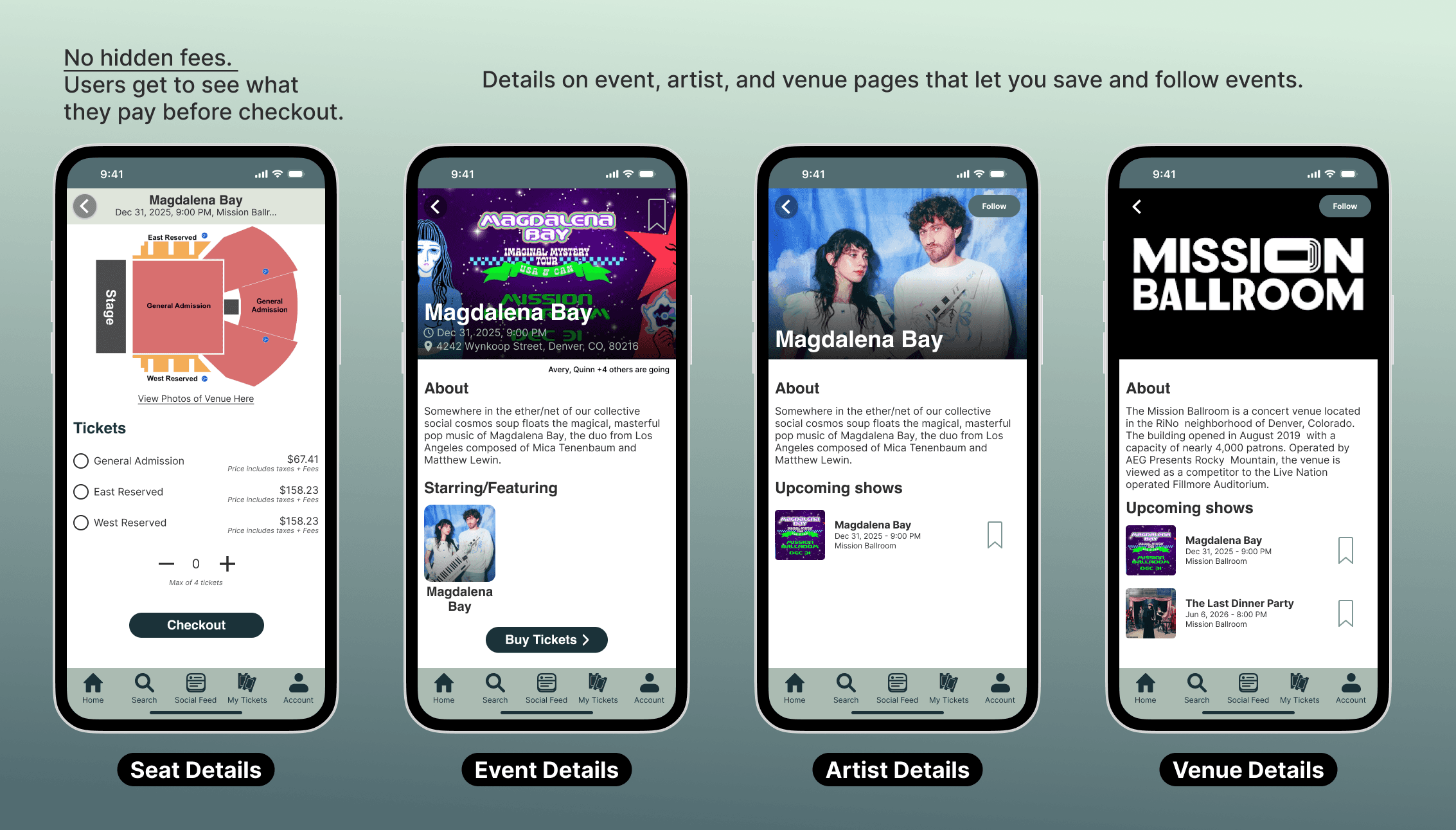
Users wanted to know the full cost of the tickets up front with no surprises, and see the quality of their seats before purchasing.
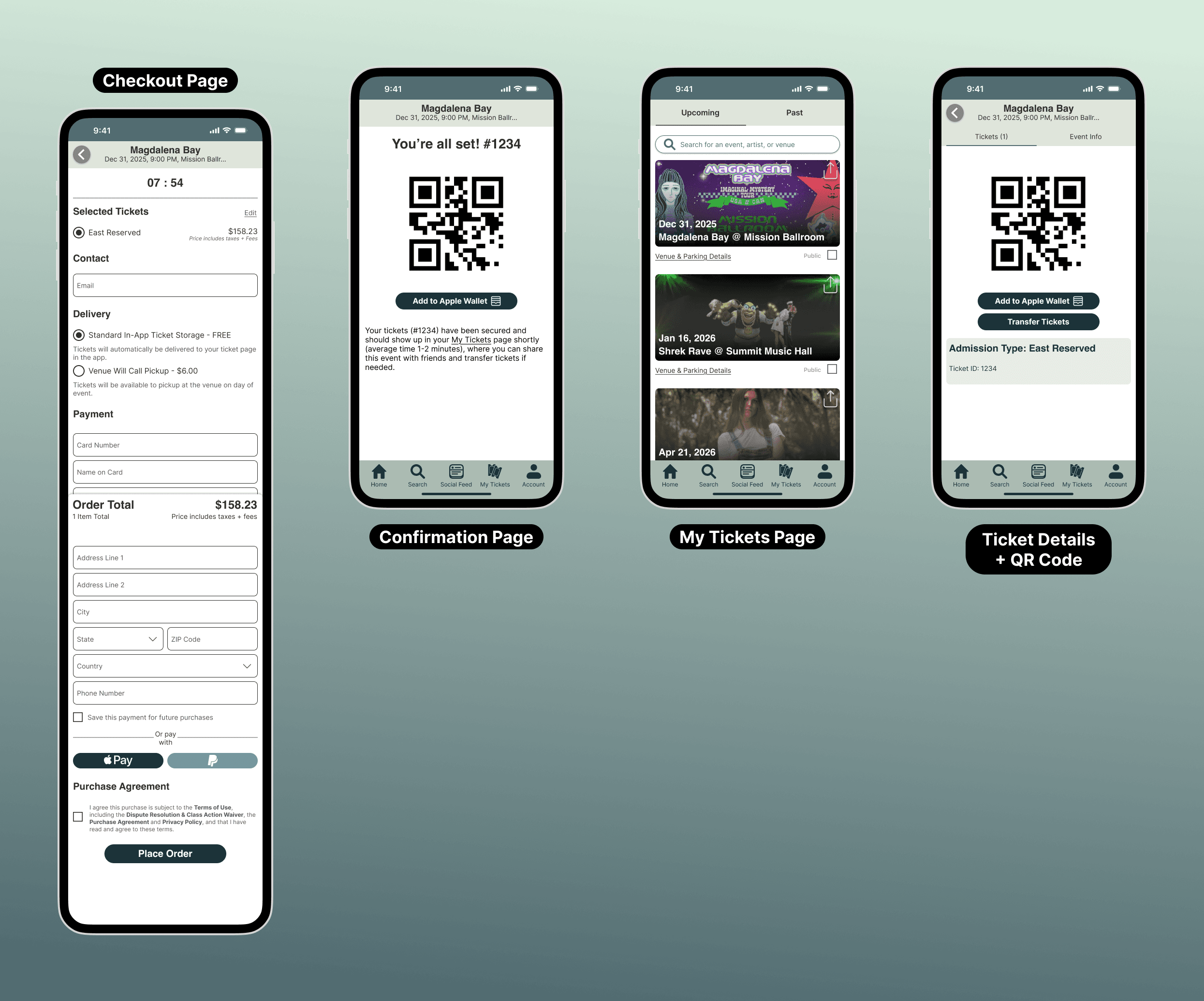
Finally, after purchasing a ticket, users will have the option to add it to their Apple Wallet. Purchased tickets automatically go into the "My Tickets" page for easy access.
Conclusion
Local Tickets challenged our team to rethink how a ticketing app could feel more down to earth and community-centered without sacrificing usability. Through testing, we learned that clarity in navigation and interaction states mattered more than adding new features. Small adjustments like fixing back-button behavior and refining selection states had a noticeable impact on user confidence.
Beyond structure and flow, I played a key role in shaping the final visual direction of the app. I helped guide the team toward a cohesive look and feel that supported the experience we were building, ensuring the interface felt intentional rather than decorative.
If we continued developing this concept, I would further refine event discovery and explore ways to strengthen the connection between social features and ticket purchasing. Overall, this project strengthened my ability to translate research into thoughtful design decisions and collaborate effectively within a team.